Gtit & Github For Automation Tester
Add one Folder to VS-code workspace ad Git-Learning ,& added more folder as one, two, three, four.
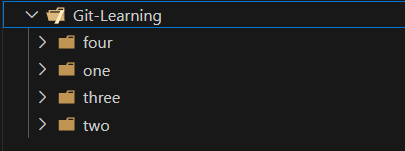
And open the Git-Learning Folder**/**Project in Terminal Then Run command as “git status”.
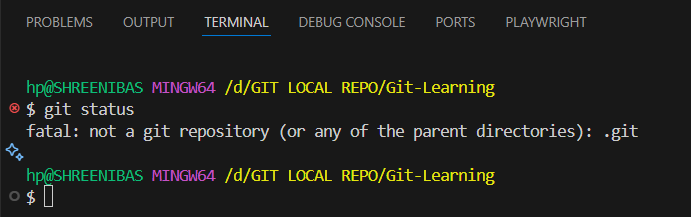
As it is not initial as git folder, it will show this message
fatal: not a git repository (or any of the parent directories): .git
Then by entering cd one as we want to initialize git inside one folder.
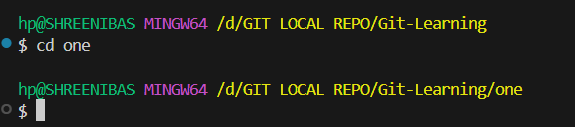
Then the result is
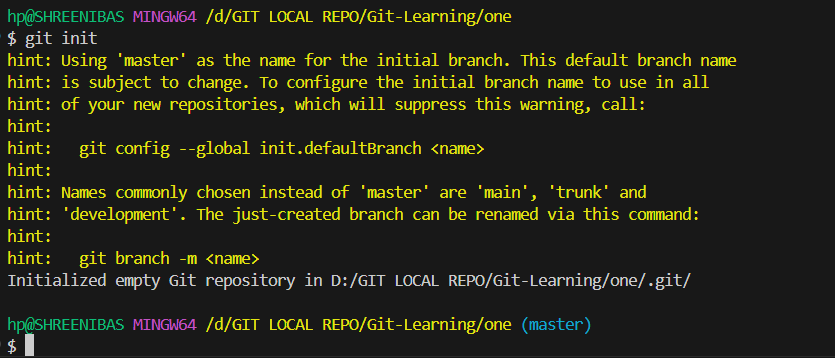
It also gives a hint at some of git commands.
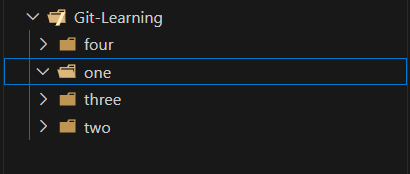
And git file is created inside one folder , but it will not show in VS Code. you need to change the setting in VS Code.
Through CLI also we can see the list of folder/file available in side a folder ,by command ls

still it not showing anythings.
But by using ls -la we can see th hideen folders and files.
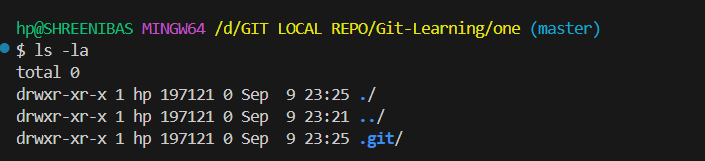
it shows the all the hidden files.
But we can see the by change the setting in VS code that is the beauty of VS code.
Git Branching
here is some common git branch commands.
Action | Command | Description |
List Branches |
| Shows all your local branches. |
List All Branches |
| Shows all local and remote-tracking branches. |
Create Branch |
| Creates a new branch, but does not switch to it. |
Switch to Branch |
| Switches your working directory to an existing branch. |
Create & Switch |
| Creates a new branch and immediately switches to it. |
Rename Branch |
| Renames the current local branch. |
Safe Delete Branch |
| Deletes a local branch only if it has been merged. |
Force Delete Branch |
| Deletes a local branch regardless of its merge status. |
Push New Branch |
| Pushes a new local branch to the remote ( |
Delete Remote Branch |
| Deletes a branch from the remote repository. |
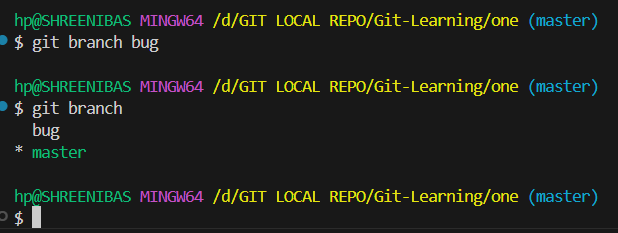
Lets Create another Branch by using command git branch <branch-name>
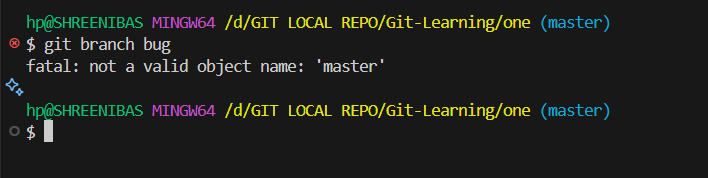
O O whats happen ?
it show as fatal: not a valid object name: 'master' ,but why?
happens because Git can’t find a branch (or commit) named master to base your new branch on.
🔍 Possible Reasons
Your repo has no commits yet.
You can’t create a new branch until at least one commit exists.
If you only ran
git initand haven’t committed anything, Git doesn’t know whatmainis.
Default branch isn’t really
main.In older Git versions, the default branch is
master, notmain.If your repo uses
master, Git won’t recognizemain.
✅ Fix Steps
Check current branches
git branchThis shows the existing branches. If you see only
master, then your default branch ismaster, notmain.Make an initial commit (if none yet)
If your repo is completely empty:git add . git commit -m "Initial commit"
But it show now as below
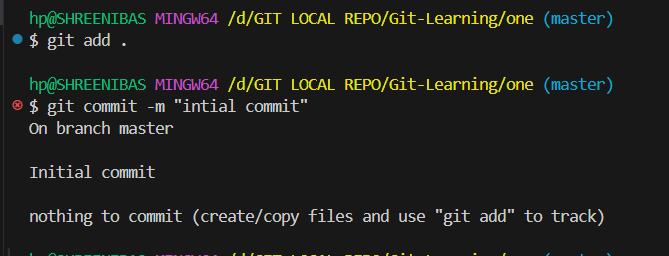
That mean we must should have one file to track the repositoty ,and then after we can create branch.
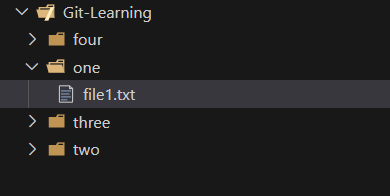
Aftrer adding one file to repository.
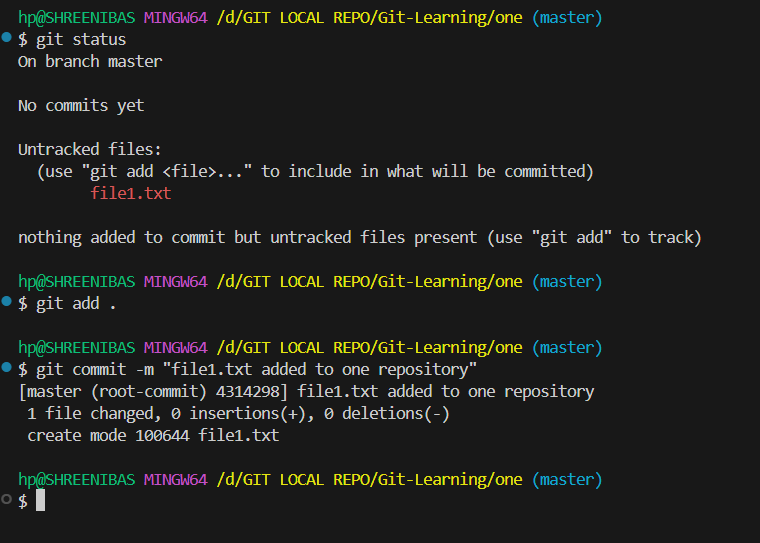
Now you’ll have a base commit.
Create a branch from current branch
If you’re already onmain(ormaster), just do:git checkout -b bugor
git branch bug
👉 Quick check for you:
Run this and tell me what you see:
git branch
That will confirm whether your repo has main, master, or no commits yet.